

Affiliate disclosure: As an Amazon Associate I earn from qualifying purchases. This post contains paid Amazon affiliate links. ProductPicks may earn a commission from qualifying purchases at no additional cost to you.
Research updated: 28 October 2026. This is a specification-based buying guide, not a hands-on monitor test. We did not independently measure colour accuracy, gaming response time, contrast, input lag or panel uniformity. Prices are recent India-market offers and can change before the scheduled publication on 30 October 2026.
For coding, spreadsheets, photo editing and everyday office work, a 27-inch QHD monitor is often a more useful upgrade than a larger Full HD screen. QHD resolution (2560 × 1440) puts more information on the display while keeping text reasonably sharp at a typical desk distance. Affordable models increasingly provide IPS viewing angles and refresh rates above 60Hz.
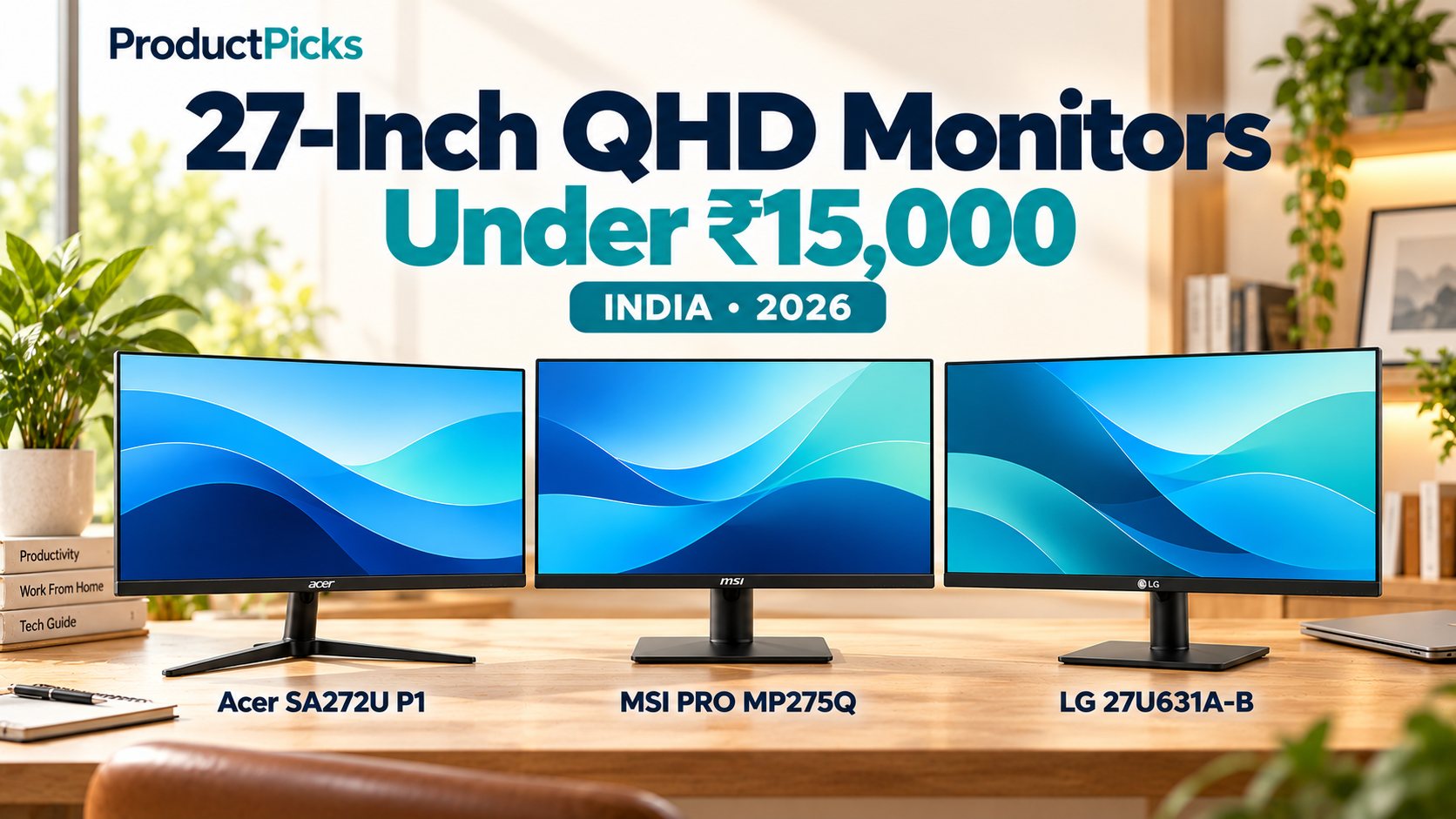
This guide compares three specific options advertised below ₹15,000 in India: Acer SA272U P1 (144Hz), MSI PRO MP275Q (100Hz) and LG 27U631A-B (100Hz with USB-C). Each has a different reason to buy it. The right choice depends on whether you want smoother motion, more connections, or a USB-C display setup for a compatible laptop.
Quick verdict: which 27-inch QHD monitor should you choose?
- Acer SA272U P1 — best for smoother motion at a lower observed price: a 144Hz QHD IPS panel, HDMI and DisplayPort, integrated speakers and a 75 × 75 mm VESA mount.
- MSI PRO MP275Q — best for connecting several devices: 100Hz QHD IPS, two HDMI ports, one DisplayPort, two built-in 2W speakers and a 100 × 100 mm VESA mount.
- LG 27U631A-B — best if a compatible USB-C video connection is important: 100Hz QHD IPS, advertised typical 99% sRGB, HDMI and USB-C video plus up to 15W power delivery. It is not a full laptop-charging monitor.
- For a ₹15,000 ceiling: all three appeared below the threshold in recent listings, but LG is close to the limit. If its final price rises above ₹15,000, it no longer qualifies for this budget comparison.
Best 27-inch QHD monitors under ₹15,000: comparison table
| Feature | Acer SA272U P1 | MSI PRO MP275Q | LG 27U631A-B |
|---|---|---|---|
| Display | 27-inch flat IPS | 27-inch flat IPS | 27-inch flat IPS |
| Resolution | 2560 × 1440 (QHD) | 2560 × 1440 (QHD) | 2560 × 1440 (QHD) |
| Maximum advertised refresh rate | 144Hz | 100Hz | 100Hz |
| Typical brightness (manufacturer) | 250 nits | 300 nits | 250 nits |
| Main video inputs | HDMI 2.0, DisplayPort 1.4 | 2 × HDMI 2.0b, 1 × DisplayPort 1.2a | 1 × HDMI, 1 × USB-C (video) |
| USB-C power delivery | Not listed | Not listed | Up to 15W |
| Speakers | Built-in dual speakers | 2 × 2W built-in speakers | Not listed in India specifications |
| VESA mounting | 75 × 75 mm | 100 × 100 mm | 100 × 100 mm |
| Bundled stand | Tilt only | Tilt only | Tilt only |
| Colour / HDR description | HDR10 input; independent colour accuracy not verified | HDR Ready, advertised sRGB coverage | Typical sRGB 99%, HDR10 input |
| Recent India offer snapshot | ₹12,888 on Acer India store; Amazon tracked around ₹11,888 | ₹12,399 promotion / ₹13,399 other listings | ₹14,799 on tracked Amazon offer |
| Amazon India | Check Acer | Check MSI | Check LG |
Important: The table lists maximum supported specifications, not independently tested performance. Promotional prices are time-sensitive. The exact model matters: Acer SA272U P1 is QHD, whereas SA272 P1 is a similarly named Full HD product. MSI PRO MP275Q is QHD; PRO MP275 without the Q is Full HD. All three Amazon product links include our affiliate tag.
1. Acer SA272U P1 — the 144Hz value pick
The Acer SA272U P1 offers the highest specified refresh rate in this comparison: 144Hz on a 27-inch 2560 × 1440 IPS panel. Acer lists HDMI 2.0, DisplayPort 1.4, AMD FreeSync, HDR10 signal support, integrated speakers and a 75 × 75 mm VESA mount. Its India store describes a slim, near-borderless design and 250-nit typical brightness.
The 144Hz rating matters if you enjoy smooth scrolling, play games that your computer can run at high frame rates, or simply prefer more fluid mouse and window movement. It does not make QHD office work inherently faster, and you will only see the higher refresh rate when the computer, cable and input are configured correctly.
Acer also advertises 1ms VRB (Visual Response Boost), a blur-reduction marketing metric. It is not directly comparable with a normal grey-to-grey response time, and we have not independently assessed ghosting, overshoot or blur. Likewise, HDR10 acceptance does not establish high-end HDR picture quality.
When researched, the Acer India store offered SA272U P1 around ₹12,888; a recent Amazon marketplace price tracker identified the exact model with a lower observed offer near ₹11,888. Neither is a guaranteed checkout price for 30 October.
Acer India lists a three-year limited warranty for consumer standalone monitors, subject to warranty conditions and serial number. The included stand offers tilt adjustment rather than height or pivot adjustment.
Choose Acer if: you want 144Hz for a little more smoothness, mainly use HDMI or DisplayPort, and value the possibility of a lower selling price.
Consider another model if: you want a USB-C display input or need two HDMI sockets without swapping cables.
Check Acer SA272U P1 on Amazon India — paid product link; ASIN B0G3LG7NT8.
2. MSI PRO MP275Q — best connectivity for a multi-device desk
The MSI PRO MP275Q is a 27-inch 100Hz QHD IPS monitor oriented toward work and general multimedia. Its biggest practical advantage is its unusually flexible input selection for the price: two HDMI 2.0b ports and one DisplayPort 1.2a. MSI also lists two 2W integrated speakers, a headphone output and 100 × 100 mm VESA mounting.
That is useful if you regularly switch between a work laptop, personal PC and another device. You can leave several cables attached and choose the required input. Its built-in speakers are convenient for system notifications, calls or basic videos, although we have not measured sound quality and they should not be confused with dedicated desktop speakers.
MSI quotes a 300-nit typical brightness and 1300:1 typical contrast, compared with different published claims for the other monitors. Those figures are manufacturer specifications rather than identical laboratory measurements, so we do not rank picture quality by them alone.
The PRO MP275Q supports adaptive sync and up to 100Hz over its HDMI and DisplayPort inputs. MSI’s advertised 1ms MPRT is a special measurement; for normal pixel transitions it lists 4ms GtG. This is a sensible general-use monitor, not a substitute for a measured competitive-gaming review.
The MSI India promotional listing displayed the MP275Q around ₹12,399 during a festive promotion, while a marketplace price source identifies the Amazon model and other offers around ₹13,399. Make sure the listing includes the “Q” in the model code: the similarly named PRO MP275 has a lower Full HD resolution.
Choose MSI if: your desk has more than one computer or console, you want DisplayPort plus two HDMI connections, or you appreciate built-in speakers.
Consider another model if: 144Hz is your priority or you want a single-cable USB-C video setup.
Check MSI PRO MP275Q on Amazon India — paid product link; ASIN B0CRNPD5P8.
3. LG 27U631A-B — best for USB-C video and documented sRGB coverage
The LG 27U631A-B is a 27-inch IPS QHD monitor with a 100Hz refresh rate, typical 99% sRGB colour-gamut coverage, Reader Mode, Flicker Safe and LG’s Switch software. It has one HDMI input plus a USB-C connection for video, and a 100 × 100 mm VESA mount.
That can simplify a desk when your laptop supports display output through USB-C. You can connect an appropriately capable USB-C cable directly to the monitor for video without needing a separate HDMI adapter, as long as your laptop’s USB-C port supports the required display mode.
The important catch: USB-C supplies only 15W
LG specifies USB-C power delivery of up to 15W. Most laptops normally require far more than that for full-speed operation and charging. Do not assume this model will replace a typical 45W, 65W or higher-wattage notebook charger. You may still need the laptop’s normal power adapter, even when video travels over USB-C.
LG’s India specifications say the USB-C cable is not included, although the product’s box list includes an HDMI cable. A suitable video-capable USB-C cable is not necessarily the same as an ordinary charging-only cable. Check both ends’ capabilities before ordering.
The published typical 99% sRGB coverage is reassuring for general web graphics and photography previews, but it does not guarantee professional colour accuracy without calibration and verification. HDR10 support also does not mean this 250-nit monitor can produce the same HDR effect as a high-end display.
A recent India-market price listing placed this model around ₹14,799. That keeps it inside our budget but leaves little price headroom. Check the exact Amazon checkout price before buying; the model number to look for is 27U631A-B.
Choose LG if: you have a compatible USB-C laptop, want a documented sRGB specification and prefer a simple monitor with Reader Mode.
Consider another model if: you need USB-C laptop charging at 65W, want DisplayPort, prefer a height-adjustable bundled stand or find the LG’s final price above ₹15,000.
Check LG 27U631A-B on Amazon India — paid product link; ASIN B0F5HNQ3N1.
27-inch QHD versus 27-inch Full HD: why resolution matters
A 27-inch Full HD screen has 1920 × 1080 pixels, whereas a 27-inch QHD screen has 2560 × 1440. That gives QHD roughly 78% more pixels without changing the physical diagonal. Text and fine details can look noticeably sharper at normal desktop distances, and there is room for more visible spreadsheet columns, code, documents and editing tools.
However, a QHD display does not force you to use tiny text. Windows, macOS and Linux let you adjust display scaling. Choose a comfortable scaling level for your eyesight and viewing distance. You may have to experiment to find a balance between text size and workspace.
If budget is tighter, read our 24-inch IPS monitors under ₹10,000 comparison. A 24-inch Full HD monitor can still be a practical and lower-cost choice. The decision is not simply “bigger is better”: screen resolution, distance, stand position and available desk space all matter.
100Hz versus 144Hz: which should you pay for?
For general typing, browsing and coding, moving from 60Hz to 100Hz can make scrolling and pointer motion look smoother. Going from 100Hz to 144Hz can also be noticeable, particularly in games or when repeatedly moving windows, but the practical difference is smaller and depends on the computer generating enough frames.
If your main priority is a colour-stable QHD office monitor with several input ports, the MSI may be the better purchase despite its lower refresh rating. If your computer can run games at high frame rates and you value smooth motion, Acer has the stronger headline refresh specification.
To use any monitor’s full refresh rate, connect using a suitable cable and set the expected resolution and Hz in your operating system. A laptop dock or older graphics adapter can impose its own limitations.
HDMI, DisplayPort and USB-C: which connection do you need?
- Acer SA272U P1: HDMI 2.0 and DisplayPort 1.4. Suitable if your desktop graphics card or dock exposes one of those outputs.
- MSI PRO MP275Q: two HDMI 2.0b ports plus DisplayPort 1.2a. Useful for keeping several devices connected.
- LG 27U631A-B: HDMI and video-capable USB-C, but no DisplayPort input listed on LG India’s specification. Its USB-C output provides only up to 15W PD.
- USB-C cable warning: not every USB-C port and cable carries video. Your laptop may need DisplayPort Alt Mode or Thunderbolt/USB4 video output, and the cable must also support video.
- Console users: some consoles limit which 1440p modes and refresh rates are available. Check the console and monitor HDMI capabilities before expecting 100Hz or 144Hz in every game.
Monitor arms: 75 × 75 mm versus 100 × 100 mm
All three have tilt-only included stands, so a separate monitor arm may help you position the screen at a comfortable height. But the mounting patterns are different: Acer is 75 × 75 mm, while MSI and LG are 100 × 100 mm. Many monitor arms support both patterns, but check the included plate, screws, weight rating and clearance.
A well-positioned screen is more useful than a few extra hertz if you spend hours working at a desk. Your eyes should normally face the display without sustained neck twisting; the optimal viewing height and distance depend on your posture and visual needs.
What do HDR10, colour gamut and 1ms really tell you?
A monitor can accept an HDR10 signal while lacking the brightness, contrast or local-dimming ability needed for convincing high-end HDR. These three budget IPS monitors should be evaluated primarily for their everyday SDR performance; we do not claim that one provides a true cinema-grade HDR experience.
Likewise, colour-gamut claims use different measurement methods. LG publishes typical 99% sRGB, while MSI publishes coverage in specific CIE standards. Without independent colour-meter measurements, it is misleading to rank actual colour accuracy from marketing percentages alone. Acer’s 1ms VRB and MSI’s 1ms MPRT are also not identical test types.
Which monitor suits your needs?
| Your priority | Our starting choice | Reason |
|---|---|---|
| Affordable QHD with high refresh rate | Acer SA272U P1 | 144Hz and a low recent selling price make it the motion-focused value option. |
| Several computers or devices at one desk | MSI PRO MP275Q | Two HDMI inputs plus DisplayPort and built-in speakers. |
| Laptop with compatible USB-C video output | LG 27U631A-B | USB-C display input and LG Switch app; remember power delivery is limited to 15W. |
| Colour-sensitive casual web work | LG or MSI, after checking your needs | Published gamut claims, but neither is a validated professional colour-accuracy winner here. |
| Competitive gaming at 1440p | Start with Acer | Higher stated 144Hz rate, but actual gaming responsiveness has not been measured. |
| Need 65W USB-C laptop charging | None of these as a single-cable replacement | LG has only 15W PD, and MSI/Acer do not advertise comparable USB-C video/charging. |
| Mounting on 100 × 100 mm arm only | MSI or LG | Acer has a 75 × 75 mm pattern; compatibility depends on the arm. |
| Strict budget cap when LG goes above ₹15,000 | Acer or MSI | Recheck the current Amazon selling price rather than an old offer. |
Before ordering a 27-inch monitor on Amazon India
- Check the exact model number: SA272U P1 (not SA272 P1), PRO MP275Q (not PRO MP275) and 27U631A-B. Similar names can hide different resolutions.
- Confirm current checkout price: all three qualified based on recent offers, but a later seller price may be above ₹15,000. Include delivery charges.
- Confirm ports and cables: do not assume LG includes a USB-C video cable; its India specification explicitly says it is sold separately.
- Check warranty and after-sales service: retain the invoice and look up the monitor’s serial number and support terms in India. Acer lists three-year limited consumer monitor coverage; other brands and sellers may have conditions.
- Inspect the monitor promptly: follow the retailer’s arrival-inspection, damaged-delivery and dead-pixel policies; manufacturer warranties and marketplace returns differ.
- Confirm VESA mounting and desk depth: a 27-inch display is wider than a 24-inch one and needs enough viewing distance and a stable support.
- Verify compatibility with your laptop or PC: check that your video output, adapter and cable can provide QHD at the refresh rate you want.
Frequently asked questions
Is a 27-inch QHD monitor better than a 27-inch Full HD monitor?
For many office and coding tasks, QHD is preferable because it supplies substantially more pixels at the same physical screen size. This can make text sharper and give more screen workspace. But QHD monitors typically cost more and demand more graphics power for high-frame-rate gaming.
Can I run a 27-inch QHD monitor at 100Hz with a laptop?
Often yes if the laptop’s graphics hardware, output port, cable and adapters support 2560 × 1440 at 100Hz. Do not assume every USB-C or HDMI port supports the required video mode; verify the actual computer specification.
Does the LG 27U631A-B charge a laptop over USB-C?
It provides up to 15W power delivery according to LG India. That is substantially below what most full-size laptops need during normal use. You may be able to transmit video via USB-C while still using the laptop’s own charger.
Which monitor is best for coding?
All three can work well for programming because they share 27-inch QHD IPS panels. MSI’s extra inputs suit a work/personal computer setup; LG’s USB-C input suits a compatible laptop; Acer may offer more refresh-rate headroom. A monitor arm, text scaling and desk setup may matter more than small specification differences.
Is Acer’s 144Hz twice as good as MSI’s 100Hz?
No. Refresh rate is only one feature. 144Hz is higher than 100Hz and may make motion smoother, but actual picture quality, overdrive behaviour and input lag would require controlled testing. MSI may still be more useful if you need its additional ports.
Are built-in monitor speakers useful?
They can be convenient for notifications and basic calls without extra desk accessories. MSI lists two 2W speakers, and Acer lists integrated speakers. Neither is guaranteed to match the clarity or bass of dedicated external speakers.
Is 27-inch QHD good for gaming on a budget?
It can be, provided your GPU can render games at 2560 × 1440 smoothly. Acer’s 144Hz specification makes it interesting for mixed work and gaming; for highly competitive games, also consider controlled response-time tests and possibly a gaming-focused monitor.
Final verdict
Our value-first pick is Acer SA272U P1 when you want a sharp QHD screen with 144Hz at a competitive observed price. MSI PRO MP275Q is the practical multi-device alternative if you value two HDMI ports, DisplayPort and speakers. LG 27U631A-B is the USB-C-focused option for a compatible laptop, but do not mistake its 15W PD specification for full laptop charging.
These recommendations reflect verified published features, not a hands-on ranking of panel quality. Recheck exact stock, seller, price and model before buying; if any option rises above ₹15,000, assess alternatives rather than assuming the previous offer still applies.
Acer SA272U P1 on Amazon · MSI PRO MP275Q on Amazon · LG 27U631A-B on Amazon
Also see our best 24-inch IPS monitors under ₹10,000 comparison for a less expensive desktop setup, and our ergonomic office chair buying guide for related work-from-home equipment.
Sources and product verification
- Acer India — SA272U P1 QHD 144Hz product, ports, VESA and offer price
- Acer SA272U P1 — Amazon product identification and price history
- Acer India — limited warranty for consumer monitors
- MSI India — PRO MP275Q technical specifications
- MSI India — current Diwali promotional pricing
- MSI PRO MP275Q — Amazon model identifier
- LG India — 27U631A-B QHD IPS, USB-C, 15W PD, supplied cables
- LG 27U631A-B — India-market price reference
- LG 27U631A-B — Amazon model identifier
As of 28 October 2026. Exact Amazon ASINs linked: Acer B0G3LG7NT8, MSI B0CRNPD5P8 and LG B0F5HNQ3N1. Availability, price, warranty and product variant may vary by seller and location.
[…] is a companion to our 27-inch QHD monitors under ₹15,000 guide. That article focuses on Acer, MSI and LG. Here we add the gaming-oriented Gigabyte GS27Q from the […]
[…] building a gaming desk? See our 27-inch QHD monitor comparison and Gigabyte GS27Q gaming-monitor comparison for screen-specific recommendations. A high-refresh TV […]
[…] the rest of your desktop? Our 27-inch QHD monitor comparison and Gigabyte GS27Q versus Acer, MSI and LG guide can help you match the screen to your intended […]