

Affiliate disclosure: As an Amazon Associate I earn from qualifying purchases. This article contains paid Amazon affiliate links. ProductPicks may earn a commission on qualifying purchases at no additional cost to you.
Research updated: 28 October 2026; publication scheduled for 30 October 2026. This is a specification-based comparison, not a hands-on test. We have not independently measured motion clarity, ghosting, input lag, colour accuracy, contrast or monitor reliability. Prices are dated India-market observations and may change before checkout.
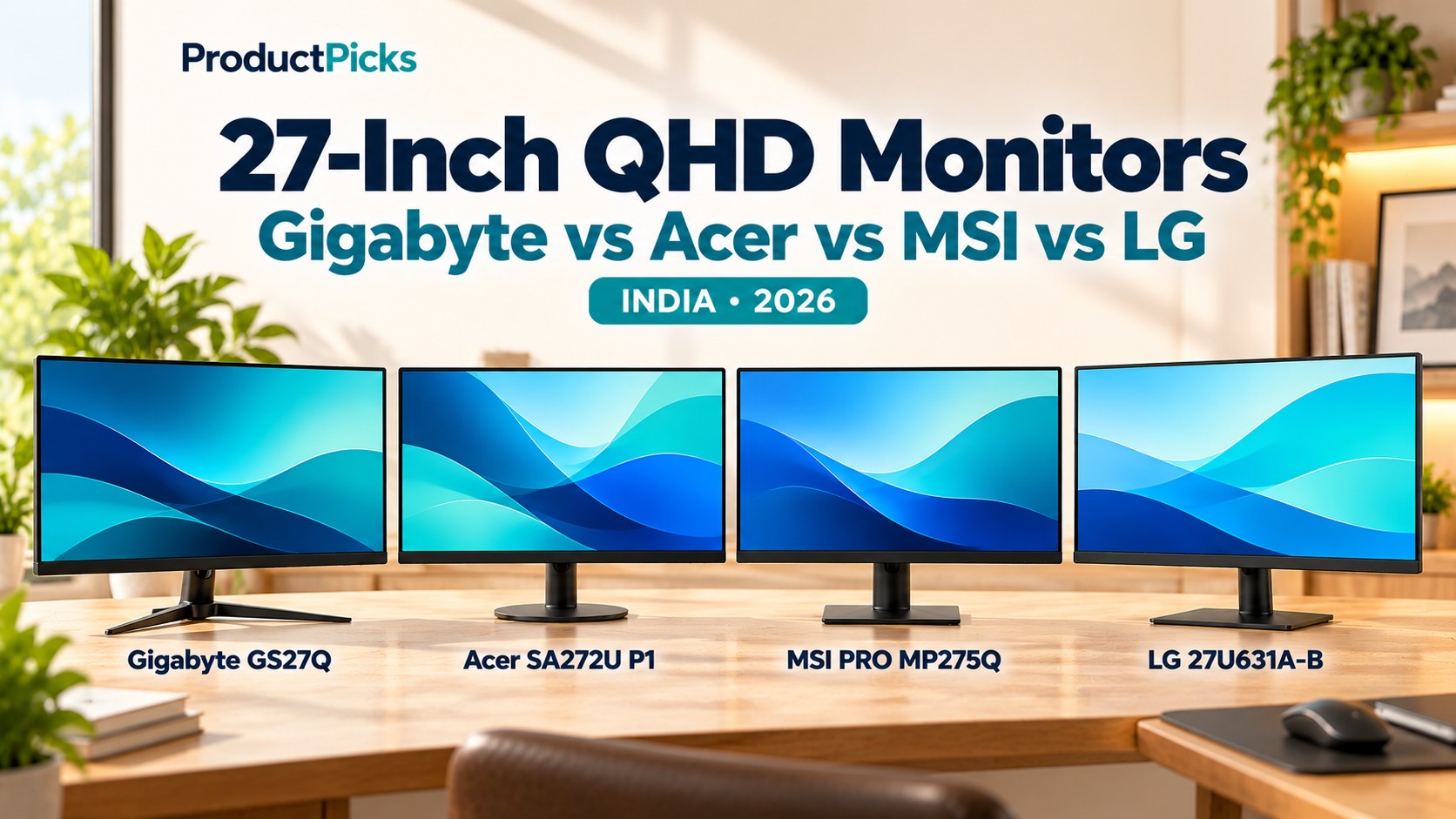
Is the Gigabyte GS27Q worth buying instead of the Acer SA272U P1, MSI PRO MP275Q or LG 27U631A-B? These four 27-inch QHD monitors share a 2560 × 1440 IPS display resolution, but they offer notably different refresh rates, connections and features.
This is a companion to our 27-inch QHD monitors under ₹15,000 guide. That article focuses on Acer, MSI and LG. Here we add the gaming-oriented Gigabyte GS27Q from the exact Amazon India listing and ask a different question: is a higher-refresh gaming monitor worth the price premium?
The answer depends on your priorities. Gigabyte has a higher advertised refresh rate and gaming controls, Acer offers 144Hz at an attractive recent price, MSI makes it convenient to connect several devices, and LG offers USB-C video for a compatible laptop—though with only 15W USB-C power delivery.
Quick verdict: which monitor should you choose?
- Gigabyte GS27Q — for a gaming-oriented setup: 165Hz native / up to 170Hz overclocked, two HDMI inputs, DisplayPort 1.4, 100% sRGB claim, FreeSync Premium branding and gaming features such as Black Equalizer and aim-assist overlays.
- Acer SA272U P1 — for value with fast refresh: 144Hz QHD IPS at a lower recent selling price, HDMI and DisplayPort connectivity, basic integrated speakers and a 75 × 75 mm VESA mount.
- MSI PRO MP275Q — for multi-device home-office use: 100Hz IPS, two HDMI ports, DisplayPort, two 2W speakers and a 100 × 100 mm VESA mount.
- LG 27U631A-B — for a USB-C laptop: 100Hz IPS, 99% typical sRGB coverage, HDMI and USB-C video. Its USB-C PD is only up to 15W and generally cannot replace a laptop charger.
- Price caveat: Gigabyte’s tracked Amazon listing has been around ₹16,999, although Indian retailer snapshots have been lower. Treat it as a potential upgrade beyond ₹15,000—not a guaranteed member of our earlier sub-₹15,000 shortlist.
Specification comparison: Gigabyte GS27Q vs Acer, MSI and LG
| Feature | Gigabyte GS27Q | Acer SA272U P1 | MSI PRO MP275Q | LG 27U631A-B |
|---|---|---|---|---|
| Screen / resolution | 27-inch SS IPS; 2560 × 1440 | 27-inch IPS; 2560 × 1440 | 27-inch IPS; 2560 × 1440 | 27-inch IPS; 2560 × 1440 |
| Advertised max refresh | 165Hz; 170Hz in overclock mode | 144Hz | 100Hz | 100Hz |
| Typical brightness | 300 nits | 250 nits | 300 nits | 250 nits |
| Manufacturer colour claim | 100% sRGB saturation | 72% NTSC on Acer specifications | 95% sRGB overlap (CIE1931); 105% area | 99% sRGB typical |
| Video inputs | 2 × HDMI 2.0; 1 × DisplayPort 1.4 | 1 × HDMI 2.0; 1 × DisplayPort 1.4 | 2 × HDMI 2.0b; 1 × DisplayPort 1.2a | 1 × HDMI; 1 × video-capable USB-C |
| USB-C video / power | No / No | No / No | No / No | Yes / up to 15W PD |
| Speakers | No built-in speakers | Built-in speaker output listed | 2 built-in speakers, 2W each | No built-in speakers specified by LG India |
| Headphone output | Yes | Yes | Yes | Yes |
| Adaptive-sync / game tech | FreeSync Premium / Adaptive-Sync, gaming OSD tools | Adaptive-Sync; FreeSync on India listing | Adaptive-Sync (48–100Hz published range) | Gaming-friendly response settings; no premium sync certification verified |
| HDR marketing | HDR Ready | HDR10 input | HDR Ready | HDR10 input |
| VESA mount | 100 × 100 mm | 75 × 75 mm | 100 × 100 mm | 100 × 100 mm |
| Included stand | Tilt only | Tilt only | Tilt only | Tilt only |
| Recent indicative price | ₹16,999 on an Amazon tracking page; older Indian store listings around ₹14,499+ | ₹11,888 in a 25 October tracked listing | ₹11,999–₹13,399 in recent Indian offers | ₹14,799 in a tracked listing |
| Amazon India | Check Gigabyte | Check Acer | Check MSI | Check LG |
All prices above are illustrative snapshots, not verified live Amazon checkout prices. The GS27Q overclock setting may require a supported signal path, graphics output and operating conditions. Published colour-gamut figures use different definitions; they should not be treated as identical laboratory measurements. The “1ms” claims seen on several of these monitors also involve different methods or display modes.
1. Gigabyte GS27Q: is the 165Hz gaming monitor worth the premium?
The Gigabyte GS27Q official specification describes a 27-inch Super Speed IPS display with QHD resolution, a 165Hz rated refresh rate and a maximum 170Hz in overclock mode. It lists 300-nit typical brightness, 100% sRGB colour saturation, adaptive-sync support and a 1ms MPRT response-time claim. Gigabyte markets FreeSync Premium compatibility on its retail materials.
Its practical advantage is the combination of two HDMI 2.0 ports and a DisplayPort 1.4 input, along with gaming-oriented settings: OSD Sidekick, Black Equalizer, Aim Stabilizer, a crosshair overlay, timer and picture-in-picture/picture-by-picture modes. If you use a desktop PC and another source, the two HDMI ports can save cable swapping.
Gigabyte includes a DisplayPort cable with the model, according to its product documentation. You should still check that your graphics card, cable and chosen settings can use the maximum refresh mode. Overclocking is an optional setting, not a promise that every connected device will output 170 frames per second or that all inputs expose the same timing options.
The supplied stand is tilt-only, not height-adjustable. Gigabyte lists a 100 × 100 mm VESA mount, so a compatible monitor arm can improve positioning. The GS27Q also has a headphone output but no built-in speakers, a difference that may matter if you want audio from a console without separate speakers.
The price is the real deciding factor
The Amazon price-history record for the exact GS27Q displays about ₹16,999; its visible price-change history is not proof that this is the live price on the day you read the article. Other Indian retailers were tracked at about ₹14,499–₹14,849 in an August 2026 store snapshot. Those prices may have expired or inventory may be different, and some retailer listings may require separate delivery and warranty checks.
If you find the GS27Q at a genuinely competitive final price, the extra refresh capability and gaming options can make it attractive. If it costs several thousand rupees more than a 144Hz Acer, the difference will be harder to justify for office work or casual gaming.
Choose Gigabyte if: your PC can render games well above 100 frames per second at 1440p and you want a 165Hz/170Hz-class gaming panel with additional gaming OSD options.
Look elsewhere if: your primary use is spreadsheets, coding or office work, you need built-in speakers or a USB-C laptop display input, or the Gigabyte costs substantially more than Acer.
Check Gigabyte GS27Q on Amazon India — paid link. This is the exact product ASIN you provided: B0CT8H7PZP.
2. Acer SA272U P1: better value if 144Hz is enough
The Acer SA272U P1 is also a 27-inch QHD IPS monitor, but with a 144Hz refresh rate rather than the Gigabyte’s 165Hz rated / 170Hz overclocked maximum. Acer specifies 250-nit typical brightness, HDMI 2.0, DisplayPort 1.4, adaptive-sync support, a tilt-only stand and a smaller 75 × 75 mm VESA mount.
Its faster-than-100Hz refresh makes it a credible mixed-use monitor for everyday desktop work and gaming. At a tracked Amazon offer of ₹11,888 on 25 October 2026 (Indian retail tracker), the Acer was meaningfully cheaper than the Gigabyte’s ₹16,999 tracked Amazon amount.
An Acer listing also advertises 1ms VRB. VRB is a blur-reduction mode rather than the same measurement as Gigabyte’s 1ms MPRT or MSI’s 4ms GtG. We have not measured real-world motion clarity, overshoot or input lag, so it would be incorrect to call either product the verified faster monitor from marketing milliseconds alone.
Acer lists built-in speakers on the matched regional SA272U P1 page. They may be convenient for notifications or basic video but are unlikely to replace dedicated desktop speakers for serious audio listening.
Note the model name carefully. SA272U P1 is the QHD model in this comparison; SA272 P1 without the U is a similarly named Full HD product.
Choose Acer if: a competitive QHD monitor with 144Hz is enough and lower price is more important than Gigabyte’s extra gaming features.
Check Acer SA272U P1 on Amazon India — paid link; ASIN B0G3LG7NT8.
3. MSI PRO MP275Q: the practical office and multi-device alternative
The MSI PRO MP275Q is designed for business productivity: 27-inch QHD IPS, 100Hz maximum refresh, 300-nit rated brightness, two HDMI 2.0b inputs, one DisplayPort 1.2a, a headphone jack, two 2W speakers and 100 × 100 mm VESA mounting.
MSI’s main attraction is not beating the GS27Q in gaming numbers. It is the ability to keep multiple sources connected: perhaps a work laptop through HDMI, a desktop through DisplayPort and a third source through the other HDMI port. Its included speakers make basic video calls and notifications more convenient, although a separate headset may still be preferable.
MSI documents an adaptive-sync range of 48–100Hz and publishes 1ms MPRT and 4ms GtG figures, which are different response metrics. Its colour specification describes 95% sRGB overlap in one measurement standard; that does not imply precise factory calibration or a superior image to the other models.
An Indian price-comparison service listed the MP275Q at about ₹11,999 on 10 October 2026 (price snapshot), with other seller offers higher. You should verify current stock and warranty before choosing.
Choose MSI if: productivity, several attached computers and included speakers matter more than gaming at refresh rates above 100Hz.
Check MSI PRO MP275Q on Amazon India — paid link; ASIN B0CRNPD5P8.
4. LG 27U631A-B: the USB-C laptop option
The LG 27U631A-B is a 27-inch QHD IPS monitor with 100Hz maximum refresh, 250-nit typical brightness, LG’s typical 99% sRGB specification, Reader Mode, Flicker Safe and LG Switch software. It differs from the other three because it has a USB-C display connection alongside HDMI.
This could be particularly convenient for a compatible laptop that supports DisplayPort video through USB-C. A suitable cable can carry the display signal without a separate USB-C-to-HDMI adapter, although LG says the USB-C cable is not included. Its included stand tilts, and 100 × 100 mm VESA mounting offers an upgrade path to a monitor arm.
Do not confuse USB-C video with full laptop charging
LG lists up to 15W USB-C Power Delivery. That is far below the requirement of many laptops, particularly when working under load. Do not assume that connecting one USB-C cable will both drive the screen and replace a 45W or 65W laptop power adapter. The LG may still require the laptop’s separate charger.
The model has no DisplayPort socket listed by LG India. For buyers with desktop graphics cards offering only DisplayPort outputs, Gigabyte, Acer and MSI may be more direct fits.
A tracked India price listing showed about ₹14,799, but the exact Amazon offer may differ. That places LG close to the ₹15,000 threshold of the earlier shortlist without offering the high gaming refresh of Acer or Gigabyte.
Choose LG if: you have a video-capable USB-C laptop and value the convenient connection, LG’s screen-management software and colour-gamut specification.
Look elsewhere if: you need 65W USB-C charging, a DisplayPort input, built-in speakers or the smoothest gaming refresh.
Check LG 27U631A-B on Amazon India — paid link; ASIN B0F5HNQ3N1.
Gigabyte GS27Q vs Acer SA272U P1: the most interesting gaming comparison
Of the four, the Gigabyte and Acer are the closest match for a buyer who plays games and also uses the monitor for work. Both offer 27-inch 1440p IPS, adaptive-sync features and DisplayPort 1.4. Their clearest differences are refresh rate, port count, VESA pattern and the actual price.
| Comparison point | Gigabyte GS27Q | Acer SA272U P1 |
|---|---|---|
| Advertised maximum | 165Hz, 170Hz overclocked | 144Hz |
| HDMI ports | 2 | 1 |
| DisplayPort | 1 × DP 1.4 | 1 × DP 1.4 |
| Published brightness | 300 nits typical | 250 nits typical |
| Speaker | Not included | Included per Acer model page |
| VESA | 100 × 100 mm | 75 × 75 mm |
| Gaming extras | Black Equalizer, Aim Stabilizer, Crosshair, OSD Sidekick, PiP/PbP | Adaptive sync, HDR10 input, VRB mode |
| Price observation | Amazon tracking page around ₹16,999, older retailer snapshots below ₹15,000 | Amazon tracked at ₹11,888 on 25 Oct 2026 |
If the Gigabyte is only slightly more expensive on the day of purchase and you value the extra HDMI port and gaming controls, it is easy to shortlist. If the difference is several thousand rupees, Acer is more compelling for a value-conscious 1440p setup. The extra 21Hz between 144Hz and 165Hz is real, but it does not by itself establish better picture quality, lower latency or superior motion handling.
165Hz versus 170Hz: what does Gigabyte’s overclock actually mean?
Gigabyte advertises the GS27Q at 165Hz with an optional 170Hz overclocked mode. That is not the same as saying every laptop, cable and console will automatically offer 170Hz. The selected refresh rate depends on the graphics output, driver settings, monitor timing modes, colour depth and connection bandwidth.
For a desktop, DisplayPort 1.4 is the sensible first connection to investigate for maximum advertised refresh; confirm the supported mode in the monitor’s user guide and the graphics control panel. The included DisplayPort cable helps, but you still need a compatible graphics card and suitable settings.
High refresh can make moving objects and cursor motion look smoother when the computer delivers enough frames. A 100Hz display can still be completely suitable for work, browsing and videos. A high refresh number is not a guarantee of low input lag or minimal ghosting.
Do the four monitors have equivalent colour accuracy?
No. They all use IPS technology, but their maker-stated gamut numbers are not reported using one common comparison method. Gigabyte lists 100% sRGB saturation, LG lists 99% typical sRGB, MSI lists gamut area and overlap values, and Acer’s published model data includes a 72% NTSC figure. These numbers cannot be fairly ranked as if each were the same type of measurement.
Coverage of a colour space is also not the same as colour accuracy. Actual accuracy requires measuring the screen’s colour errors, white point, brightness and calibration. If you edit photographs for print or do colour-critical design work, look for independent monitor testing, calibration data and appropriate warranty/service support rather than a single percentage in a product listing.
HDMI, DisplayPort and USB-C: matching the monitor to your computer
- Gigabyte GS27Q: two HDMI 2.0 inputs and one DisplayPort 1.4 input; useful when several devices share a gaming screen.
- Acer SA272U P1: one HDMI 2.0 input and one DisplayPort 1.4 input; straightforward for a PC and one additional source.
- MSI PRO MP275Q: two HDMI 2.0b inputs and one DisplayPort 1.2a; convenient for a multi-device work desk.
- LG 27U631A-B: one HDMI input and one USB-C video input; only up to 15W USB-C PD. Its USB-C port is not a complete high-power docking station.
- Audio: Gigabyte lacks built-in speakers despite its headphone output. MSI has two 2W speakers; Acer lists speaker output. Confirm whether your chosen source can provide audio over the selected connection.
- Mounting: Gigabyte, MSI and LG use 100 × 100 mm VESA mounts; Acer uses 75 × 75 mm. Do not assume an existing monitor arm has both patterns.
Gaming, office work or both: which option fits your use?
| Main use | Start with | Why |
|---|---|---|
| Desktop PC games above 100fps at 1440p | Gigabyte GS27Q or Acer SA272U P1 | Higher advertised refresh than the 100Hz office-focused models. |
| Best value for 144Hz QHD | Acer SA272U P1 | Lower observed price and sensible gaming/office features. |
| Two or three video sources and basic speakers | MSI PRO MP275Q | 2 × HDMI + DisplayPort with included 2W speakers. |
| Compatible USB-C laptop, mainly office use | LG 27U631A-B | USB-C video and LG software; laptop charging is limited to 15W. |
| Need a monitor with built-in speakers | MSI, or Acer after confirming the variant | Gigabyte explicitly lists no built-in speaker. |
| Need 100 × 100 mm monitor-arm compatibility | Gigabyte, MSI or LG | Acer lists 75 × 75 mm; some arms accommodate both. |
| Must stay below ₹15,000 | Compare current Acer/MSI/LG deals; Gigabyte only if discounted | Gigabyte’s tracked Amazon price can be above the threshold. |
| Professional colour-critical work | No automatic winner | The specifications do not replace calibrated independent testing. |
Warranty, seller and pricing checks for India
Gigabyte retailers have advertised a three-year warranty for the GS27Q, MSI lists 36 months on its India specification sheet, and Acer India has a limited three-year policy for eligible standalone monitors. The exact retailer, serial-number region, invoice and manufacturer policy determine warranty eligibility. Verify LG’s applicable India warranty for the purchased SKU as well.
For the Gigabyte in particular, do not rely on an old lower retailer price when comparing with today’s Amazon offer. An August 2026 price aggregator snapshot showed offers near ₹14,499, whereas a separate Amazon price-history page displays around ₹16,999. The current Amazon product page may show a different price, seller or availability. The correct comparison uses final checkout prices including delivery.
The GS27Q also has similarly named products in the wider Gigabyte range, such as GS27QA, GS27Q X and G27Q. This article refers only to the GS27Q linked at the top. Similarly, do not confuse Acer SA272U P1 with the Full HD SA272 P1, or MSI PRO MP275Q with the Full HD PRO MP275.
A quick checklist before buying
- Confirm the exact model code and display resolution on the seller listing. All four models in this guide are 2560 × 1440.
- Compare the final price at checkout, not a price from a tracking page or promotional banner.
- Check your graphics card, laptop ports, cables and any docking station for the refresh rate you want.
- Decide whether speakers, USB-C video, multiple HDMI inputs or a monitor arm matter in your setup.
- Check the dead-pixel, damage-on-arrival, return and warranty terms for the actual seller and India-market unit.
- Use a screen height and viewing distance that suit your posture; none of these four comes with a height-adjustable bundled stand.
- Read independent panel testing if colour-critical work or competitive low-latency gaming is the main reason to buy.
Frequently asked questions
Is Gigabyte GS27Q better than Acer SA272U P1?
Gigabyte has the higher headline refresh rate, an extra HDMI port and more gaming-specific software features. Acer has the lower observed selling price and built-in speakers. A genuine performance winner would require matching independent tests for response times, overshoot, input lag and colour accuracy; we have not performed those tests.
Is the Gigabyte GS27Q a 170Hz monitor or a 165Hz monitor?
Gigabyte lists 165Hz with a maximum 170Hz in an optional overclock mode. Check your connection and supported timing modes before assuming the overclocked setting is available.
Does the Gigabyte GS27Q have speakers?
No. Gigabyte’s official specification lists no integrated speakers. There is an earphone output, so use a suitable headset, powered speakers or your computer’s separate audio connection.
Does any of these four monitors charge a laptop over USB-C?
LG 27U631A-B provides USB-C video and up to 15W Power Delivery, which is insufficient for many laptop power needs. Gigabyte, Acer and MSI in this comparison do not list a USB-C video/charging input.
Which is better for coding and spreadsheets?
All four provide the same 27-inch QHD resolution. MSI is convenient for a desk with several computers, LG suits a compatible USB-C laptop, and Acer offers a lower-cost QHD screen with higher refresh. Gigabyte’s gaming features are less important if you mainly work with static documents.
Is 1ms MPRT faster than 4ms GtG?
The two numbers describe different measurement approaches, and MPRT can involve blur-reduction modes that change perceived brightness or flicker. They should not be compared directly as identical response-time results.
Can a 1440p monitor display 1080p content?
Yes, it can show Full HD video and games, but the source may be scaled to the panel’s native 2560 × 1440 resolution. Text and sharpness are generally best when the desktop uses native QHD resolution.
Should I pay above ₹15,000 for the Gigabyte GS27Q?
Consider it if you genuinely value the gaming refresh rate, extra HDMI input and GS27Q software features and the price difference is reasonable. For office work or a tight ₹15,000 ceiling, Acer or MSI may offer better practical value. Verify whether the GS27Q is discounted below the limit before paying a premium.
Final verdict
Gigabyte GS27Q is the gaming-focused choice among these four if you want 165Hz-class QHD and extra game-display tools. Acer SA272U P1 is the value-oriented alternative for buyers happy with 144Hz. MSI PRO MP275Q is the multi-device desk choice with two HDMI ports and built-in speakers, while LG 27U631A-B fits the compatible USB-C laptop workflow—but supplies only up to 15W of USB-C power.
There is no universal winner, and none of these recommendations is based on our own lab measurements. Look at the exact model, current offer, supported ports and your actual use case before ordering.
Gigabyte GS27Q on Amazon · Acer SA272U P1 on Amazon · MSI PRO MP275Q on Amazon · LG 27U631A-B on Amazon
For a narrower budget, revisit our Best 27-Inch QHD Monitors Under ₹15,000 article. You may also find our 24-Inch IPS Monitors Under ₹10,000 and Ergonomic Office Chairs Under ₹10,000 guides useful when setting up a complete desk.
Sources and model verification
- Gigabyte official GS27Q 165Hz / OC 170Hz specification and features
- Gigabyte India support page for the exact GS27Q model
- Gigabyte GS27Q — Amazon India ASIN B0CT8H7PZP and tracking price
- Gigabyte GS27Q — Indian retailer price snapshot (dated August 2026)
- Gigabyte GS27Q — Indian retailer model specs and warranty description
- Acer official SA272U P1 specifications
- Acer SA272U P1 — India-market dated price comparison
- MSI India official PRO MP275Q technical specifications and warranty
- MSI PRO MP275Q — India-market dated price comparison
- LG India official 27U631A-B specification and USB-C PD limitation
- LG 27U631A-B — India-market indicative price
Product identifiers: Gigabyte GS27Q B0CT8H7PZP (supplied by the reader), Acer SA272U P1 B0G3LG7NT8, MSI PRO MP275Q B0CRNPD5P8, LG 27U631A-B B0F5HNQ3N1. All Amazon links carry ProductPicks tracking tag productpicks-in-21. Dated pricing snapshots are not promises of current stock or final selling price.
[…] the rest of your desktop? Our 27-inch QHD monitor comparison and Gigabyte GS27Q versus Acer, MSI and LG guide can help you match the screen to your intended […]