Updated: 26 October 2026
Affiliate disclosure: As an Amazon Associate I earn from qualifying purchases. This article contains paid links. ProductPicks may receive a commission when you buy through them, at no extra cost to you.
How we compared: This article is based on TP-Link’s India specifications, support documentation and current product information. We have not independently benchmarked wireless speed, range, latency or thermal performance. Advertised Wi-Fi rates are theoretical link rates, not guaranteed internet speeds.
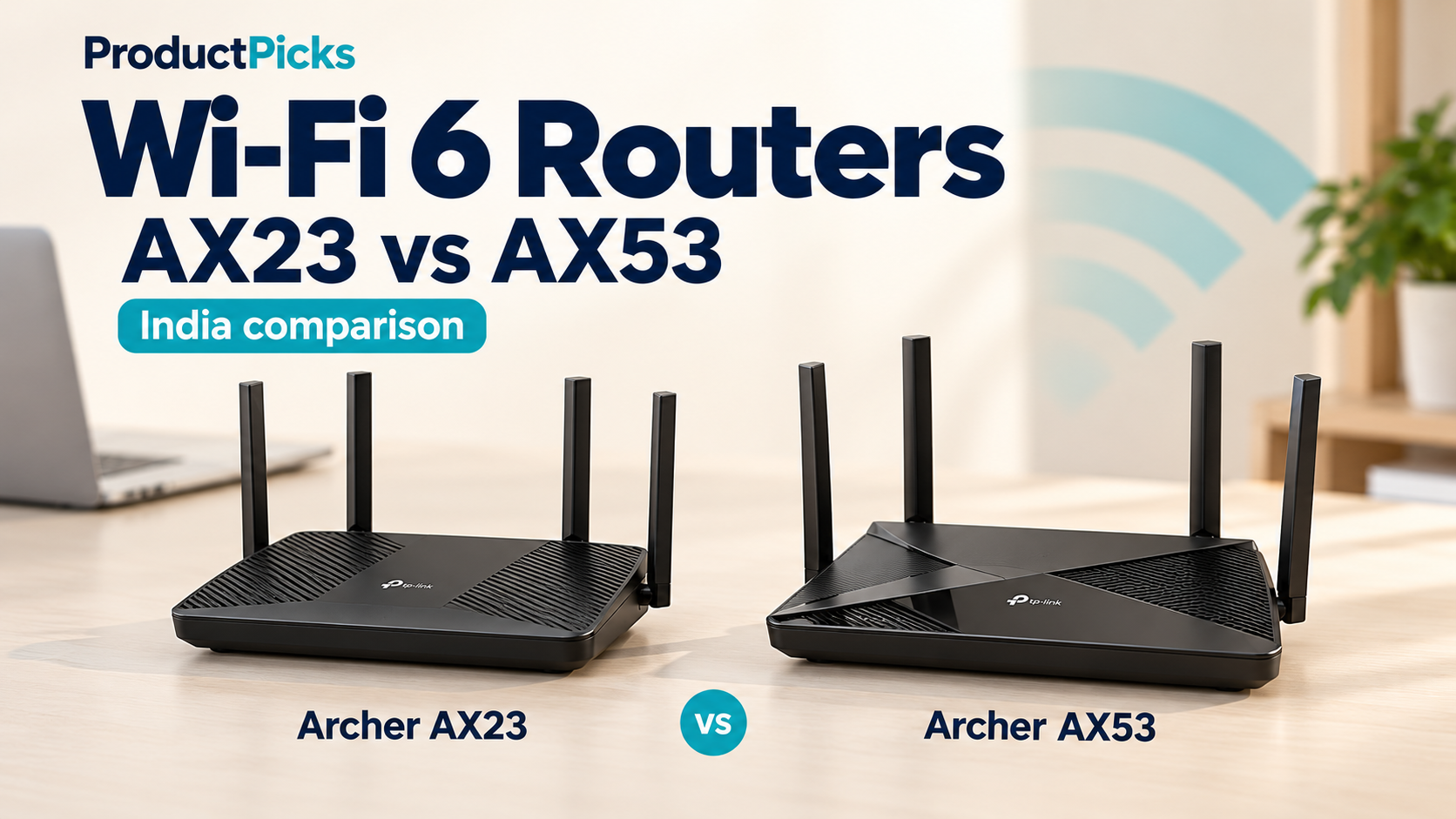
If you are choosing a reasonably priced Wi-Fi 6 router for an Indian home, TP-Link’s Archer AX23 and Archer AX53 can look surprisingly similar. Both are dual-band Wi-Fi 6 routers with four external antennas, one Gigabit WAN port, four Gigabit LAN ports, WPA3 support and EasyMesh compatibility.
The main reason to spend more on the Archer AX53 is its faster 5 GHz radio: it supports up to 2402 Mbps using a 160 MHz channel, compared with 1201 Mbps on the AX23. The AX53 also adds TP-Link HomeShield features. But those advantages only matter if your devices, network conditions and broadband or local-network usage can benefit from them.
Our short answer: the Archer AX23 is the better-value choice for many homes. Choose the Archer AX53 if you have compatible 160 MHz Wi-Fi 6 clients, regularly transfer large files over Wi-Fi, or specifically want the additional HomeShield features.
TP-Link Archer AX23 vs AX53: quick comparison
| Feature | Archer AX23 | Archer AX53 |
|---|---|---|
| Wi-Fi class | AX1800 | AX3000 |
| 5 GHz advertised rate | Up to 1201 Mbps | Up to 2402 Mbps |
| 2.4 GHz advertised rate | Up to 574 Mbps | Up to 574 Mbps |
| 160 MHz channel support | Not listed | Yes, HE160 |
| Antennas | 4 fixed external antennas | 4 fixed external antennas |
| WAN port | 1 × Gigabit Ethernet | 1 × Gigabit Ethernet |
| LAN ports | 4 × Gigabit Ethernet | 4 × Gigabit Ethernet |
| EasyMesh | Yes | Yes |
| WPA3 | Yes | Yes |
| HomeShield | Not listed as a service kit on the current India specification page | Yes; Basic plan included, optional paid Pro plan |
| Operating modes | Router / Access Point | Router / Access Point |
| USB port | No | No |
| Amazon India | Check Archer AX23 — paid link | Check Archer AX53 — paid link |
Specifications are based primarily on TP-Link India documentation. Features can vary by hardware revision and firmware, so check the exact version supplied by the seller before relying on a specific software feature.
Archer AX23: the value choice for most everyday homes
The Archer AX23 is an AX1800 dual-band Wi-Fi 6 router. TP-Link lists maximum wireless rates of 1201 Mbps on 5 GHz and 574 Mbps on 2.4 GHz. It has four external antennas, Beamforming, OFDMA, four wireless streams and a dual-core processor.
For wired networking, you get a straightforward Gigabit layout: one Gigabit WAN port and four Gigabit LAN ports. That is enough for a typical fibre connection, a desktop PC, television, NAS or game console, provided you do not need multi-gigabit Ethernet.
The AX23 also supports WPA3 and EasyMesh. That makes it more capable than its price positioning might suggest: you can start with one router and later add a compatible EasyMesh device if you need broader coverage.
Why we like it: if your internet plan is comfortably below 1 Gbps and your main goal is reliable Wi-Fi 6 for phones, laptops, televisions and smart-home devices, the AX23 already covers the important basics. Paying extra for a faster theoretical 5 GHz link does not automatically make ordinary web browsing or streaming noticeably faster.
Choose the AX23 if:
- You want a cost-effective Wi-Fi 6 upgrade from an older Wi-Fi 5 router.
- Your broadband connection is below 1 Gbps.
- You do not specifically need 160 MHz Wi-Fi channels.
- You want EasyMesh as a possible future upgrade path.
- You would rather put the price difference toward an additional mesh node or better router placement.
Check the TP-Link Archer AX23 on Amazon India — paid link.
Archer AX53: worth paying more for compatible faster clients
The Archer AX53 moves up to the AX3000 class. Its 2.4 GHz specification remains 574 Mbps, but its 5 GHz radio is rated at up to 2402 Mbps. The key technology behind that difference is support for a 160 MHz channel width.
This can matter when a compatible Wi-Fi 6 laptop, desktop adapter or phone supports 160 MHz operation and has a good 5 GHz connection to the router. It is particularly relevant for fast transfers between devices on your home network—for example, moving large files between a Wi-Fi laptop and a Gigabit-wired NAS or desktop.
However, the AX53 still has only Gigabit Ethernet ports. That means its internet-facing wired connection tops out at Gigabit Ethernet speeds, and actual throughput will be lower after protocol overhead. The 2402 Mbps wireless link-rate figure should therefore not be interpreted as a promise of 2.4 Gbps internet downloads.
The AX53 also includes TP-Link HomeShield. TP-Link lists features such as network scanning and security controls, while noting that HomeShield includes a free Basic plan and that additional Pro features require a paid subscription.
Choose the AX53 if:
- You own Wi-Fi 6 devices that support 160 MHz channels.
- You transfer large files across your local network and want more wireless headroom.
- You specifically want TP-Link HomeShield features.
- The price difference from the AX23 is relatively small when you buy.
- You want the stronger specification without moving to a more expensive multi-gigabit router.
Check the TP-Link Archer AX53 on Amazon India — paid link.
AX1800 vs AX3000: what do those numbers actually mean?
The AX1800 and AX3000 labels are marketing classes based on the router’s maximum advertised wireless link rates across its bands. They are not internet-speed guarantees.
For these two routers:
- Archer AX23: 1201 Mbps on 5 GHz + 574 Mbps on 2.4 GHz.
- Archer AX53: 2402 Mbps on 5 GHz + 574 Mbps on 2.4 GHz.
A single phone or laptop does not normally add the 2.4 GHz and 5 GHz figures together for one connection. Your device connects using the capabilities negotiated with the relevant band, and real throughput is lower than the negotiated physical link rate.
Actual performance depends on the client device, distance, walls, interference, channel width, router placement and network traffic. Your internet speed is additionally limited by your ISP plan and the router’s Ethernet connection.
The AX53’s 160 MHz advantage: when does it matter?
The AX53’s strongest technical advantage is HE160 support on 5 GHz. A 160 MHz channel can provide twice the channel width of an 80 MHz connection, allowing a compatible client to negotiate a higher link rate.
There are three important qualifications.
Your client must support 160 MHz
A router supporting 160 MHz does not make an 80 MHz-only phone or laptop use the wider channel. Check the wireless adapter specifications of the devices that matter most to you.
Wide channels need suitable spectrum
Wi-Fi operates in shared radio spectrum. Wider channels can be harder to use effectively in congested environments, and available 5 GHz channels are also subject to regional regulatory rules. TP-Link itself notes that 160 MHz availability can vary by country or region.
Faster Wi-Fi does not remove the Gigabit Ethernet ceiling
Both routers use Gigabit WAN and LAN ports. If your main use is internet access, your ISP speed and the Gigabit WAN interface can become the limiting factors well before the AX53’s headline wireless link rate.
For local wireless transfers between compatible clients and wired Gigabit devices, however, the AX53 can still provide useful extra wireless capacity and may reduce the wireless side of the bottleneck.
Will the AX53 give you better range?
Do not buy the AX53 solely because its AX3000 label is larger.
TP-Link rates both models for roughly 2–3 bedroom houses and equips each with four external antennas and Beamforming. The AX53 specification additionally lists a high-power front-end module, but TP-Link does not provide a simple guaranteed distance by which it will outperform the AX23 in your home.
Walls, reinforced concrete, metal furniture, neighbouring networks and router placement can matter more than the difference between these two models.
If one router cannot cover your home adequately, a better solution may be an EasyMesh network with an additional compatible node rather than simply buying the AX53 and expecting substantially greater range from one device.
Both support EasyMesh—but check the firmware
Both current India product pages list EasyMesh. This lets you combine compatible devices into a mesh network with a common Wi-Fi name and roaming between nodes.
That is useful if you start with a single router and later discover a weak area in the house.
TP-Link has added or expanded mesh-related features through firmware on some hardware revisions. For example, firmware notes for the AX53 V1 mention Ethernet backhaul and EasyMesh improvements. This is why you should check the hardware version printed on the router and use the matching TP-Link India support page before updating firmware.
HomeShield: an AX53 advantage, but check what is free
The AX53’s India specification lists TP-Link HomeShield. It can provide network-management and security functions beyond the basic router controls.
The important purchasing detail is that HomeShield is not simply one permanently free feature bundle. TP-Link states that a Basic plan is included, while some Pro functionality requires payment.
If HomeShield is one of your reasons for choosing the AX53, check the current Basic-versus-Pro feature list before purchasing rather than assuming every advertised security feature is included without an ongoing charge.
The AX23 still provides standard security capabilities such as WPA3, SPI firewall controls, guest networks and access controls, so HomeShield should be treated as an additional feature set rather than the difference between having security and having none.
What about gaming?
Either router can be perfectly adequate for online gaming when the network is configured well. The most important factors are usually latency, congestion, signal quality and the internet connection—not the AX number printed on the router.
If the console or gaming PC is near the router, wired Gigabit Ethernet remains the simplest choice for a stable connection.
For Wi-Fi gaming, the AX53’s additional 5 GHz capacity can be useful with a compatible client, especially when the network is busy. But we would not promise lower ping simply because one router is AX3000 and the other AX1800; that requires testing in the actual environment.
What internet plan makes the AX53 worthwhile?
There is no single threshold because local-network traffic also matters, but the following is a useful buying framework:
| Your setup | Our starting choice | Why |
|---|---|---|
| 100–300 Mbps broadband, ordinary phones and laptops | AX23 | The AX23 already has ample theoretical Wi-Fi capacity for the internet connection. |
| 300–500 Mbps broadband, mixed household devices | Usually AX23 | Choose AX53 if compatible 160 MHz clients or HomeShield matter. |
| 500 Mbps–1 Gbps broadband | AX53 becomes more attractive | More 5 GHz wireless headroom can be useful for compatible clients. |
| Frequent large local file transfers | AX53 | 160 MHz support can increase the wireless link rate with compatible devices. |
| Internet faster than 1 Gbps | Neither is ideal | Both are limited to Gigabit WAN/LAN; consider a router with 2.5GbE. |
This table is buying guidance rather than measured performance data. A well-positioned AX23 can outperform a badly positioned AX53 in a particular room.
Neither router is ideal for multi-gigabit internet
This is one of the most important limitations to understand before buying.
Both the AX23 and AX53 have a 1 Gbps WAN port. If your ISP offers a plan above 1 Gbps and you want to use that speed through one router connection, look for a model with a 2.5GbE or faster WAN port.
The same applies to wired local networking: all four LAN ports on these routers are Gigabit Ethernet.
The AX53’s 2402 Mbps Wi-Fi specification does not turn its Ethernet ports into multi-gigabit ports.
Warranty in India
TP-Link India’s current warranty policy lists a three-year limited warranty for SOHO products. It also states that warranty coverage is country-specific and that TP-Link does not provide international warranty service.
For an Amazon purchase, retain the invoice and make sure you are buying the correct India-market product from an appropriate seller. TP-Link’s policy also notes that bundled accessories such as power adapters and cables may have different warranty coverage from the main device.
Check the hardware version when your router arrives
Router model names can remain the same while the internal hardware revision changes. TP-Link currently has multiple hardware versions listed on its support pages for these models.
After receiving the router:
- Check the hardware version on the label.
- Open the TP-Link India support page for that exact model and hardware revision.
- Use firmware intended for that version and purchase region.
- Read the firmware release notes before upgrading.
TP-Link specifically warns that installing firmware from the wrong regional site can cause problems and may conflict with warranty conditions.
Which router should you buy?
Buy the Archer AX23 if you want the better-value option
For many homes, this is the model we would start with. It provides Wi-Fi 6, Gigabit Ethernet, WPA3, EasyMesh and enough wireless capacity for typical broadband plans without making you pay for a 160 MHz feature that your devices may never use.
Check Archer AX23 on Amazon India — paid link.
Buy the Archer AX53 if its specific advantages fit your devices
The AX53 makes the most sense when you have compatible 160 MHz Wi-Fi 6 clients, care about faster local wireless transfers, or want HomeShield. It is also attractive when the Amazon price difference is small enough that the added capability is worth buying for future devices.
Check Archer AX53 on Amazon India — paid link.
Frequently asked questions
Is the Archer AX53 twice as fast as the AX23?
Its maximum advertised 5 GHz link rate is approximately twice as high—2402 Mbps versus 1201 Mbps—but that does not mean your internet downloads will automatically be twice as fast. The AX53’s higher figure depends on compatible 160 MHz clients and suitable radio conditions, while real performance is also limited by your ISP, Ethernet interfaces and network environment.
Do both routers work with older Wi-Fi devices?
Yes. TP-Link lists backward compatibility with earlier 802.11 standards. Older devices will connect using the wireless capabilities they support rather than gaining Wi-Fi 6 features automatically.
Do these routers have 2.5 Gigabit Ethernet?
No. Both use Gigabit WAN and Gigabit LAN ports. If multi-gigabit wired networking is important, choose a different router.
Do they have USB ports for storage?
No USB port is listed for either model. If you want to attach a USB drive directly to the router for file sharing, these are not the right models for that requirement.
Can I use either router as part of a mesh network?
Yes, current TP-Link India specifications list EasyMesh support for both. Check the hardware version and current firmware if a particular mesh feature—such as Ethernet backhaul—is important to your setup.
Final verdict
For most value-conscious buyers, we would choose the Archer AX23. It already provides the important Wi-Fi 6 and Gigabit networking features and is easier to justify when your internet connection and devices cannot exploit the AX53’s additional 5 GHz capacity.
Choose the Archer AX53 when you can identify a reason for the upgrade. A compatible 160 MHz laptop or Wi-Fi adapter, frequent local transfers, or a desire for HomeShield are tangible reasons. Buying it solely because “AX3000” is a larger number is not.
If your real problem is weak coverage in distant rooms, consider router placement and an EasyMesh expansion before assuming a faster single router will solve the issue.