Affiliate disclosure: This article contains affiliate links. As an Amazon Associate, I earn from qualifying purchases.
A USB Wi-Fi adapter can be a practical way to add wireless networking to a desktop or replace a troublesome laptop Wi-Fi connection. The harder part is choosing one that suits how you use the computer.
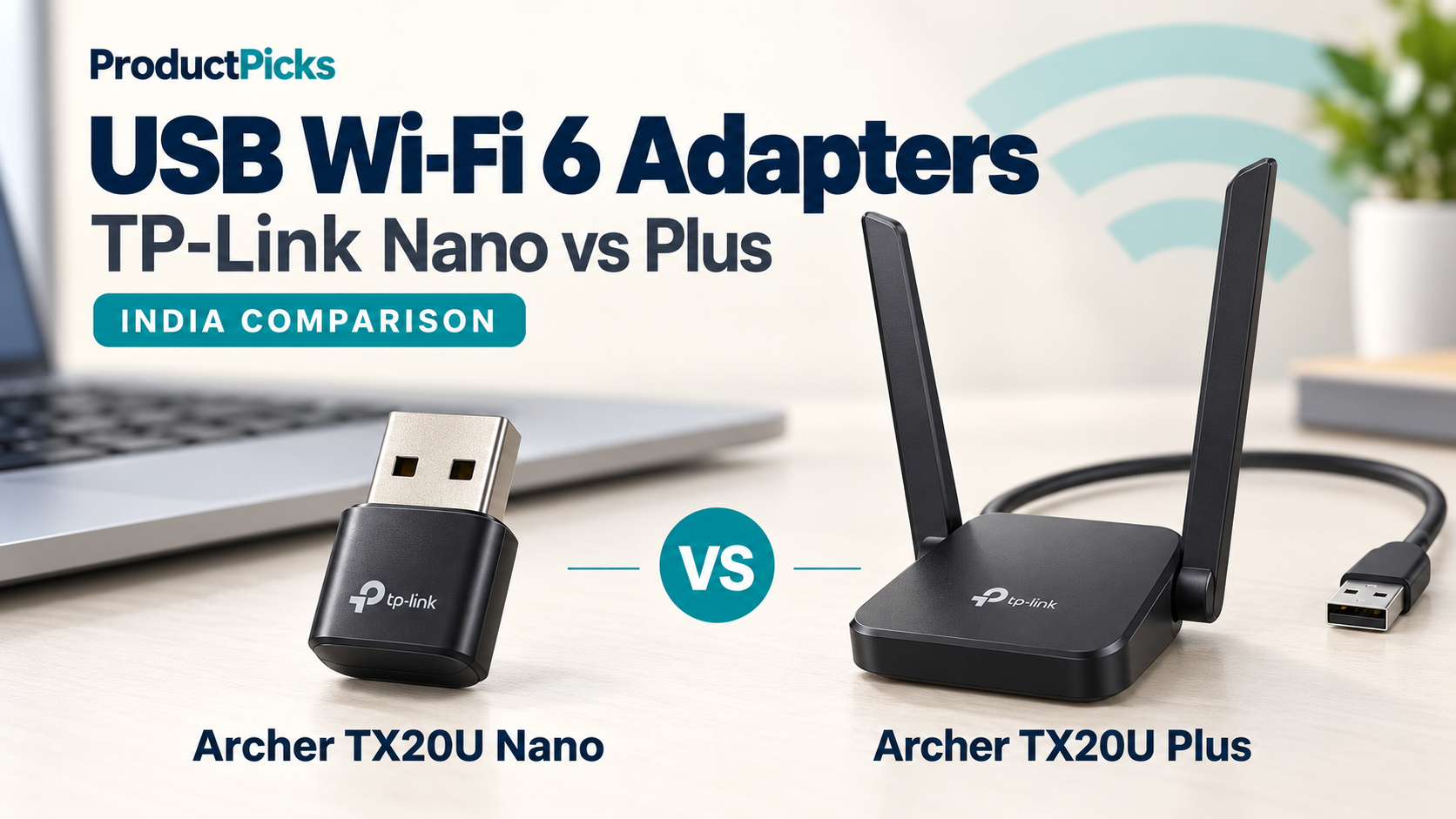
The TP-Link Archer TX20U Nano and Archer TX20U Plus both advertise AX1800 Wi-Fi 6. Their most useful differences are their USB connections and physical designs: the Nano prioritises compactness, while the Plus gives you a separate unit that you can position on your desk. TP-Link India
How we compared them: This buying guide uses TP-Link’s published specifications, manuals and driver information, checked on 26 October 2026. We have not measured these adapters’ speed, range or gaming latency. Recommendations reflect their documented features and the practical tradeoffs for different setups.
Quick verdict: which one should you choose?
- Choose the TX20U Nano for portability. It is our pick when keeping a laptop setup compact matters more than maximising the adapter’s USB bandwidth.
- Choose the TX20U Plus for a fixed desk setup. Its faster USB interface and placement flexibility make it our preference for a desktop with a suitable USB port.
- Check the cause of a slow connection first. An adapter purchase makes more sense when the computer’s existing wireless connection is the part that needs improvement.
These are recommendations based on design and specifications, rather than a measured performance ranking.
TP-Link TX20U Nano vs TX20U Plus: specifications
| Feature | Archer TX20U Nano | Archer TX20U Plus |
|---|---|---|
| Wi-Fi standard and class | Wi-Fi 6 / AX1800 | Wi-Fi 6 / AX1800 |
| Wireless bands | 2.4 GHz and 5 GHz | 2.4 GHz and 5 GHz |
| Maximum advertised 5 GHz signal rate | 1,201 Mbps | 1,201 Mbps |
| Maximum advertised 2.4 GHz signal rate | 574 Mbps | 574 Mbps |
| USB interface | USB 2.0 | USB 3.0 |
| Antenna arrangement | Two dual-band antennas in a compact design | Two adjustable external high-gain antennas |
| Published dimensions | 26.8 × 15.7 × 7.5 mm | 84 × 156.3 × 19.2 mm |
| Included USB cable | No cable listed | 1-metre USB 3.0 cable |
| Windows versions listed on product page | Windows 10 / 11 | Windows 10 / 11 |
| Amazon India | Check TX20U Nano price | Check TX20U Plus price |
Source: TP-Link India product specifications. Signal rates are advertised wireless link rates, not measured download speeds. Check the driver section below for operating-system and hardware-version qualifications. TP-Link India
Archer TX20U Nano: our pick for a portable laptop
The Nano’s appeal is its small footprint. Its body measures 26.8 × 15.7 × 7.5 mm, and TP-Link designs it to remain connected during everyday use. There is no separate desktop unit or supplied extension cable to arrange. TP-Link India
We would shortlist it for someone who regularly moves a laptop between rooms or workplaces and wants an unobtrusive external Wi-Fi connection. If you already get acceptable reception where you work, the convenience of a compact accessory may matter more than extra positioning options.
The tradeoff is the USB 2.0 interface. That makes the Nano a less suitable choice when your main objective is moving large amounts of data as quickly as possible. The AX1800 label does not remove that USB limitation; we explain the distinction below.
Our buying advice: Choose it because its size solves a practical problem for your laptop setup. Decide whether that convenience is worth accepting the slower USB connection.
Check the TP-Link Archer TX20U Nano on Amazon India
Archer TX20U Plus: our pick for a desktop setup
The TX20U Plus uses USB 3.0 and includes a one-metre cable. Its two external antennas are adjustable, giving you more control over where the adapter sits and how you orient it. tp-link.com
Consider a desktop tower beneath a table. A small adapter plugged directly into the tower has to work from that socket’s location. With the Plus, you can try a position on the desk without moving the computer. That flexibility is a practical reason to prefer it, even before comparing speed-test results.
The extra unit and cable need space, so it is less convenient to carry around. For a laptop that lives on one desk, however, portability may be a minor concern.
Our buying advice: If both models fit your budget and your computer has USB 3.0, we would usually choose the Plus for a fixed setup. That judgement comes from its USB bandwidth and placement options. It does not establish that it will achieve a particular speed or outperform the Nano through a specific number of walls.
Check the TP-Link Archer TX20U Plus on Amazon India
USB 2.0 vs USB 3.0: the difference worth checking
The wireless connection and the USB connection are two separate parts of the route into your computer. Data received over Wi-Fi still has to pass through USB.
USB 2.0 High-Speed has a maximum signalling rate of 480 Mbps; USB 3.0 SuperSpeed has a maximum of 5 Gbps. These are interface rates, with usable data throughput below the raw figures. Microsoft Learn
Consequently, the Nano’s advertised 1,201 Mbps wireless link cannot turn into 1,201 Mbps of data delivered to the computer through its USB 2.0 connection. This follows from the interface specifications; it is not a benchmark result.
The Plus has substantially more USB bandwidth available. To use that advantage, connect it through a suitable USB 3.0 port and cable. A USB 3.0 device connected through a USB 2.0 port operates at the slower interface rate. Microsoft Learn
For a modest internet plan and ordinary browsing, you might value compactness more than additional USB bandwidth. For fast local file transfers or a faster broadband connection, we would favour the Plus. Neither recommendation promises a specific real-world speed.
What AX1800 means for actual download speeds
On these adapters, AX1800 describes a Wi-Fi 6 class built around advertised maximum signal rates of approximately 1,201 Mbps on 5 GHz and 574 Mbps on 2.4 GHz. It does not mean that one download receives 1,800 Mbps by adding both bands together. tp-link.com
There are three different numbers to keep separate:
- Wireless link rate: the connection rate negotiated between the adapter and router.
- Actual data throughput: the useful data transferred after overhead and operating conditions are taken into account.
- Internet speed: the result across the whole path, including your broadband connection and the server you are using.
TP-Link explains that internet performance is limited by the slowest relevant part of the connection. Buying a faster adapter cannot raise the speed allowed by your broadband plan, remove a router’s wired-port limitation or fix congestion elsewhere on the internet. tp-link.com
For that reason, treat the Plus as an option with more USB bandwidth available, rather than assuming it will make every internet connection faster.
Placement and reception: give the adapter room to work
Walls, metal objects, distance and nearby wireless activity can affect reception. TP-Link’s adapter troubleshooting guidance specifically identifies physical location and interference as factors that can reduce performance. tp-link.com
This is where the Plus’s separate placement can be useful. Try a clear position on the desk and compare it with the original position. Adjust the antennas and check the connection where you actually work.
The Nano’s position follows the computer’s USB socket. That may be perfectly practical beside a laptop on a desk, but it offers less flexibility when the available socket is behind a tower or close to an obstruction.
These design differences justify a preference for the Plus when positioning matters. They do not justify a guaranteed range figure. Your room layout and router location still matter.
Windows support and driver installation
Both models’ main product pages list Windows 10 and Windows 11. Before buying, also check the download page for the exact hardware revision and operating-system architecture. TP-Link India
For example, the Nano V1 Windows package checked for this guide lists Windows 10 x86/x64 and Windows 11 x64. Do not assume that a general Windows 11 label confirms compatibility with every Windows-on-ARM computer. TP-Link India
Both adapters provide a preloaded installer. TP-Link’s instructions still require installing the driver: the adapter can appear as a virtual drive in This PC, from which you run SetupInstall.exe. If it does not appear, use the appropriate driver from TP-Link’s support site. Administrator permission may be needed. tp-link.com
The Plus download page also distinguishes beta and non-beta packages. Match the model, region, hardware version and operating system, and read the release notes when choosing a download. TP-Link India
For a work laptop, check whether you are allowed to install an external network adapter before ordering.
Four checks before buying in India
1. Check the computer’s ports
The Plus’s supplied cable uses USB-A at the computer end. On a laptop with only USB-C ports, include a compatible data adapter or hub in your setup and budget. The connector shape alone does not tell you the connection speed; check the port, hub and cable specifications. Home Network Community
2. Check your router and your existing connection
Both models list older Wi-Fi standards as well as 802.11ax, so they can connect to compatible older Wi-Fi networks. To use Wi-Fi 6 features, the router or access point must support the relevant features too. tp-link.com
If your current connection is slow, compare it close to the router and, where possible, over Ethernet. If wired access and several devices are also slow, investigate the broadband connection or router before treating a new adapter as the solution. tp-link.com
3. Check India warranty eligibility
TP-Link India lists a three-year limited warranty for its SOHO products. Its policy is country-specific and does not provide international warranty service. Confirm that the exact listing supplies an eligible India-market unit, retain the purchase invoice and check the applicable coverage with the seller or TP-Link.
Bundled accessories have separate terms, so do not assume that the Plus’s supplied cable receives the same coverage as the main adapter. TP-Link India
4. Compare the exact listings
Check the full model name, seller, final price, delivery terms and return or replacement conditions. Nano and Plus are different products despite sharing the TX20U name.
If the prices are close and the adapter will remain on a desk, we would favour the Plus. If the Nano is meaningfully cheaper and compactness is your priority, it may be the more sensible purchase. Check the linked Amazon listings for current offers.
Frequently asked questions
Will putting the Nano in a USB 3.0 port make it a USB 3.0 adapter?
No. The Nano’s own interface remains USB 2.0. A newer computer port does not change the capabilities of the connected device. TP-Link India
Do these adapters support 6 GHz Wi-Fi?
No. These two models list 2.4 GHz and 5 GHz operation. Wi-Fi 6 in their names does not indicate 6 GHz support. TP-Link India
What about Linux and macOS?
The Nano V1 download page includes a Linux beta driver for kernels 3.13–6.14, labelled for the US V1 model. That is useful evidence of Linux support for a specified configuration, rather than a promise for every distribution, kernel or hardware version. TP-Link India
The Plus India download page reviewed for this guide listed Windows packages. We did not verify a current macOS driver for either adapter. For Linux or a Mac, confirm support for your exact system and unit before buying. TP-Link India
Final verdict
The Archer TX20U Nano is our choice when portability drives the decision. It suits a buyer who wants a compact accessory and accepts the USB bandwidth tradeoff.
The Archer TX20U Plus is our preference for a fixed desktop or laptop workstation with USB 3.0. We would pay a reasonable premium for its placement flexibility and faster interface when those features are useful to the setup.
Choose according to the computer, router and workspace you already have. If the existing Wi-Fi connection is reliable and meets your needs, upgrading simply to obtain an AX1800 label may add little value.
Related reading: Building a laptop setup? See our comparison of 65W GaN chargers from Belkin, Portronics and Ambrane.