

Affiliate disclosure: As an Amazon Associate I earn from qualifying purchases. This article contains paid Amazon affiliate links, which may earn ProductPicks a commission at no additional cost to you.
Research checked: 28 October 2026. This guide is based on published specifications and India-market product listings; we have not independently measured colour accuracy, input lag, brightness, response times or panel quality. Prices, stock, seller warranties and included cables may change before and after publication.
For a home office, online classes, coding or everyday entertainment, a 24-inch Full HD IPS monitor can offer a practical combination of usable screen area, relatively sharp text and wide viewing angles without going past ₹10,000. But models that all say “100Hz” can still differ in inputs, mounting, colour specifications and how easy they are to connect to an older computer.
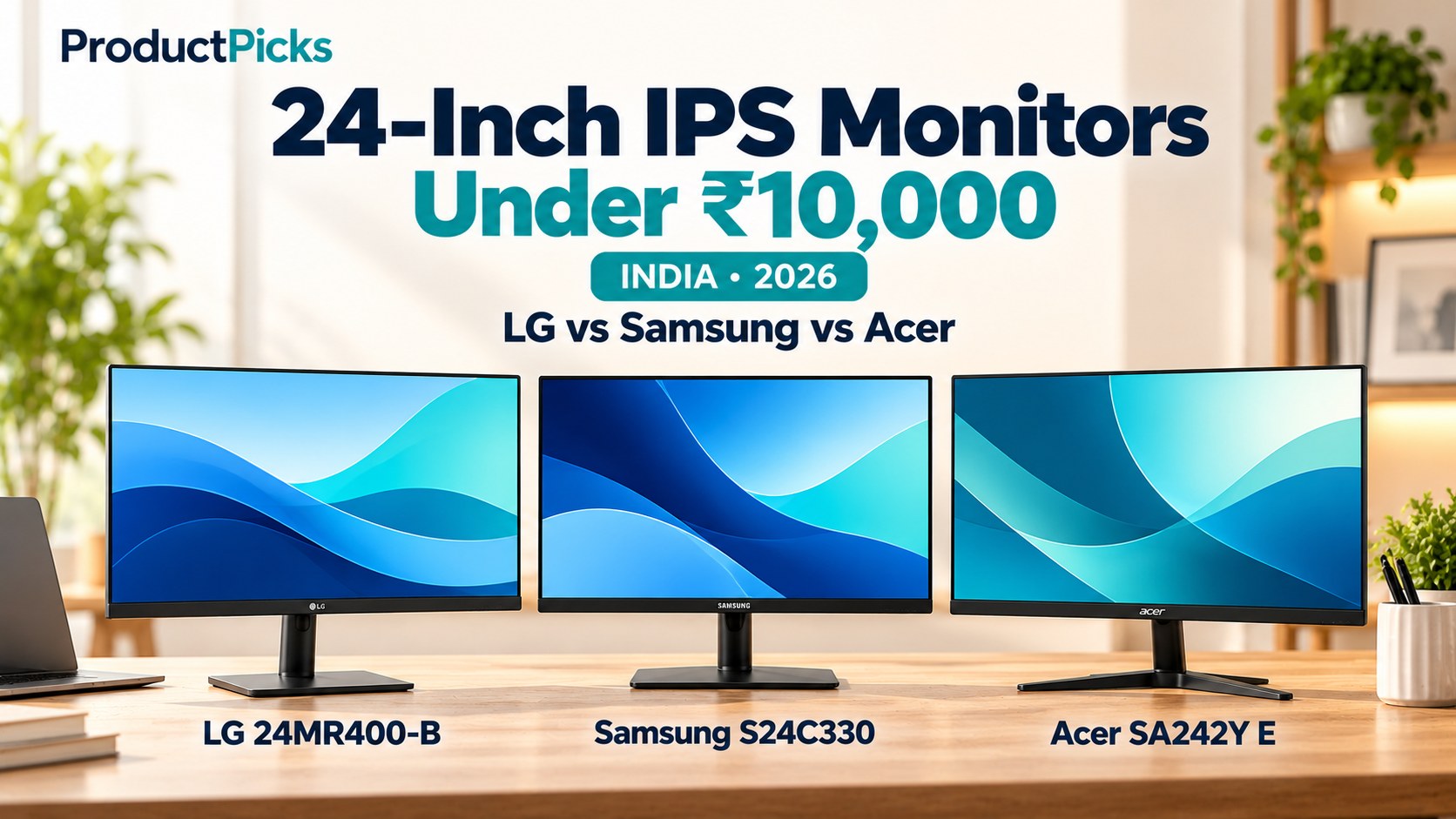
We compared three specific India-market models: the LG 24MR400-B, Samsung Essential S3 S24C330 (LS24C330GAWXXL) and Acer SA242Y E. Our recommendations focus on what the published specifications actually support—especially HDMI versus DisplayPort, VESA mount sizes and the price you pay.
Quick verdict: LG vs Samsung vs Acer
- Best value if you want a basic 100Hz IPS screen — Acer SA242Y E: the lowest recent observed selling price, a Full HD IPS panel, HDMI and VGA, and a documented 75 × 75 mm VESA mount.
- Best documented colour and office features — LG 24MR400-B: an advertised typical sRGB 99% gamut, Reader Mode, AMD FreeSync, HDMI, VGA and a 100 × 100 mm mount.
- Best if you specifically need DisplayPort — Samsung Essential S3 S24C330: Full HD IPS at up to 100Hz, HDMI plus DisplayPort and a listed 75 × 75 mm mount.
- Important budget warning for Samsung: a recent Indian non-Amazon offer was around ₹7,699, but a tracked Amazon listing showed roughly ₹10,200. If the actual checkout price is over ₹10,000, it no longer qualifies for this budget guide.
Comparison table: three 24-inch IPS monitors
| Feature | LG 24MR400-B | Samsung S24C330 | Acer SA242Y E |
|---|---|---|---|
| Viewable size | 23.8 inches | About 24 inches (60.5 cm class) | 23.8 inches |
| Panel / resolution | IPS / 1920 × 1080 | IPS / 1920 × 1080 | IPS / 1920 × 1080 |
| Advertised refresh rate | Up to 100Hz over suitable HDMI connection; VGA up to 75Hz | Up to 100Hz | Up to 100Hz through HDMI; VGA up to 75Hz |
| Typical brightness | 250 nits | 250 nits (retailer specifications) | 250 nits |
| Connectivity | 1 HDMI, 1 VGA, headphone output | 1 HDMI, 1 DisplayPort | 1 HDMI, 1 VGA |
| VESA mounting | 100 × 100 mm | 75 × 75 mm reported for listed India model | 75 × 75 mm |
| Stand adjustment | Tilt only | Tilt only | Tilt only |
| Colour claim | sRGB 99% typical (CIE1931) | 72% NTSC listed by retailer | 72% NTSC listed by Acer |
| Adaptive sync | AMD FreeSync | AMD FreeSync | AMD FreeSync on India-market listing |
| Advertised warranty | 3 years parts/labour on LG India support | 3 years reported for this India listing; verify exact seller | 3-year limited warranty for consumer standalone monitors in India |
| Recent India price reference | Around ₹7,499 (retailer listing) | ₹7,699 on Flipkart; Amazon tracked above ₹10,000 | Around ₹6,100 on Amazon (tracked listing) |
| Amazon India | Check LG | Check Samsung | Check Acer |
The values above are published specifications, not laboratory measurements. Gamut percentages such as sRGB and NTSC are not directly interchangeable. “1ms” marketing figures may refer to special blur-reduction modes, rather than a normal grey-to-grey pixel transition. The Amazon links identify models but do not guarantee a particular seller, price or stock status.
1. LG 24MR400-B — for home office work and a documented colour gamut
The LG 24MR400-B is a 23.8-inch Full HD IPS screen that LG markets with typical 99% sRGB coverage, Reader Mode, Flicker Safe, AMD FreeSync and on-screen controls. A current India retail listing identifies it as a 100Hz model; LG’s own product information notes that VGA / D-Sub is limited to 75Hz, so use HDMI if you want to access the higher refresh rate.
The sRGB specification makes LG interesting for general web, illustration and office work, because sRGB is a widely used colour space for ordinary online content. It does not prove the monitor is factory calibrated to professional accuracy, and our guide does not include a colourimeter test.
It has HDMI, legacy VGA and a headphone output, which can be convenient for an older desktop or a laptop dock that exposes HDMI. There is no DisplayPort input on this model. Its basic stand tilts but does not provide height or pivot adjustment. LG lists a standard 100 × 100 mm VESA mount for buyers who may want to use a monitor arm.
On its India support page, LG lists three years of parts and labour warranty for 24MR400-B, with a note that coverage depends on the exact unit and purchase terms. A retailer comparison recently showed around ₹7,499, but confirm the Amazon amount separately.
Choose LG if: a published sRGB gamut, Reader Mode and 100 × 100 mm mounting are more valuable to you than DisplayPort. Consider another monitor if: your computer needs a dedicated DisplayPort input or you require a height-adjustable stand in the box.
Check LG 24MR400-B on Amazon India — paid link; ASIN B0CDVTBWQ8.
2. Samsung Essential S3 S24C330 — best for DisplayPort connectivity
The Samsung Essential S3 LS24C330GAWXXL is an IPS Full HD screen with a rated 100Hz refresh rate and AMD FreeSync. The useful difference here is its HDMI + DisplayPort combination, which India-market specifications list as HDMI 1.4 and DisplayPort 1.2. That can make it a better fit for a desktop graphics card with spare DisplayPort outputs.
Samsung advertises a flicker-free display and an Eye Saver Mode to adjust the screen for more comfortable use. These are viewing features, not medical treatments. Colour, contrast and real-world eye comfort depend on the panel, settings and your environment.
The S24C330 has a tilt-only stand and is listed with 75 × 75 mm VESA mounting. Before buying a monitor arm, confirm that the purchased model and mount support the same VESA pattern and appropriate weight. The 27-inch S3 is a different size and may have a different price; this comparison covers the 24-inch LS24C330GAWXXL.
Samsung’s India support page confirms this model’s identity. An Indian retailer displayed ₹7,699 with a three-year warranty; however, an Amazon price-history record showed about ₹10,200 for its Amazon listing. This is an especially important case where you should not rely on the article title or old sales price: if your actual Amazon checkout price exceeds ₹10,000, skip it under this budget.
Choose Samsung if: you want DisplayPort or the exact 24-inch S3 model is discounted within your limit. Skip it if: the seller’s offer costs more than ₹10,000 or a cheaper HDMI monitor meets all your needs.
Check Samsung S24C330 on Amazon India — paid link; ASIN B0CXSYMMMD. Price warning: tracked Amazon price exceeded ₹10,000; check current checkout.
3. Acer SA242Y E — best budget-first option
The Acer SA242Y E is a 23.8-inch IPS Full HD monitor rated for 100Hz operation. Acer documents a typical 250-nit brightness, anti-glare screen, tilt adjustment and 75 × 75 mm VESA mounting in its regional product specifications. The India-market SA242Y E listing confirms HDMI and VGA, an ultra-slim design, a 1ms VRB marketing claim and AMD FreeSync.
Like the LG, Acer’s VGA input is rated for 75Hz while HDMI supports 100Hz. Its 1ms “Visual Response Boost” figure refers to a blur-reduction feature and should not be compared directly with Samsung’s standard grey-to-grey response-time figure. There are also several closely named Acer SA242Y variants; confirm you are buying SA242Y E, not SA242Y H (a VA-panel variant) or SA242Y P1 (a different higher-refresh model).
In a recently updated India price-tracking result, the matching Acer monitor appeared at about ₹6,088–₹6,099 on Amazon. Acer India’s warranty policy lists a three-year limited warranty for consumer standalone monitors, subject to the serial number and purchase conditions.
Acer regional listings differ on whether built-in speakers are supplied, so we would not buy this model specifically for speakers without confirming the exact India SKU. An inexpensive monitor can be an excellent office tool, but our guide does not establish that Acer has better measured panel uniformity, motion clarity or build quality than the other two.
Choose Acer if: price matters most, you have HDMI, and the 75 × 75 mm VESA fit works for your desk. Consider another model if: you specifically need DisplayPort or 100 × 100 mm mounting without an adapter.
Check Acer SA242Y E on Amazon India — paid link; ASIN B08B3L75WX.
Is 100Hz noticeably better than 60Hz for office work?
A 100Hz display refreshes the image up to 100 times per second rather than 60. Smooth scrolling, mouse movement and window animations may feel more fluid, provided your computer and cable deliver 100Hz and the operating system is configured to use it. That is a practical quality-of-life feature, but it does not increase the number of pixels on screen.
A higher refresh rate is not a substitute for the right brightness, text scaling, screen position or a comfortable chair. Also, 100Hz is not a promise that a game will run at 100 frames per second; the computer must render those frames, and the connection must support the chosen mode.
Why 24-inch Full HD can be a better choice than 27-inch Full HD
Both 24-inch Full HD and 27-inch Full HD monitors display 1920 × 1080 pixels. The 27-inch model spreads those same pixels across a physically larger area. At a typical desk distance, a 24-inch Full HD screen generally looks a little sharper because its pixels are packed more closely together.
If your goal is extra workspace for spreadsheets, programming or two documents side by side, moving from 24-inch Full HD to 27-inch Full HD does not add more pixels. Consider a 27-inch 1440p/QHD monitor instead if your budget allows, or use two 24-inch monitors.
HDMI, VGA and DisplayPort: choose the right input
- HDMI: all three monitors have HDMI and are suitable candidates for a modern laptop or desktop with a compatible HDMI output. Confirm your cable and graphics settings can run 1920 × 1080 at 100Hz.
- VGA (D-Sub): included on LG and Acer, useful for older computers, but published maximum for these models is 75Hz at Full HD through VGA. It is an analogue connection.
- DisplayPort: listed on Samsung S24C330, useful for PCs with DisplayPort output. The LG 24MR400-B and Acer SA242Y E in this guide do not list it.
- USB-C laptops: an ordinary USB-C charging port does not necessarily output video. Check whether your laptop supports DisplayPort Alt Mode, Thunderbolt or another compatible video mode before buying a USB-C-to-HDMI/DP adapter.
- Built-in audio: do not assume HDMI support means the monitor has speakers. Check the exact SKU and whether you need external speakers, headphones or a separate audio solution.
Monitor arms and VESA mounting: check the size before buying
VESA mounting matters if you want better height adjustment or a cleaner desk. Here the sizes are not the same: LG uses 100 × 100 mm, while the Samsung S24C330 and Acer SA242Y E are listed at 75 × 75 mm. A monitor arm may offer both patterns, but verify before ordering.
All three models are tilt-only on their bundled stands. A compatible height-adjustable VESA arm or riser can help you position the top of the screen near eye level, reduce awkward neck postures and free desk space, provided the desk and mount support the display’s weight.
Colour, response times and ‘eye care’ claims
IPS generally offers wide viewing angles, which can be helpful on shared desks and dual-monitor setups. But two IPS screens can still vary in colour accuracy, brightness uniformity and response behaviour. LG’s 99% sRGB typical claim and Samsung/Acer’s 72% NTSC claims should not be used as if they were identical measurement scales.
Likewise, 1ms MPRT, 1ms VRB and 4ms GtG can describe different testing methods and display modes. Motion-blur reduction can change perceived brightness or introduce flicker. Without controlled measurements, we cannot declare a gaming-speed winner from those labels.
Reader modes and flicker-reduction functions can be convenient. Still, take regular breaks, adjust room lighting and monitor brightness, and position the screen sensibly. Those functions do not guarantee prevention of eye strain.
Which monitor should you choose for your setup?
| Use case | Starting recommendation | Reason |
|---|---|---|
| General study and lowest cost | Acer SA242Y E | Full HD IPS and 100Hz capability at the lowest recent observed Amazon price. |
| Everyday home office, web design and 100×100 mount | LG 24MR400-B | Published typical sRGB 99%, Reader Mode and a 100 × 100 mm VESA pattern. |
| Desktop graphics card with a free DisplayPort | Samsung S24C330 | The only model of these three with a listed DisplayPort input. |
| Older PC that only has VGA | LG or Acer | Both list VGA, though with a lower 75Hz maximum. |
| Monitor arm required | Check arm pattern | LG 100×100; Samsung and Acer 75×75. |
| Samsung offered above ₹10,000 | Buy LG/Acer or wait for a qualifying offer | The budget should reflect the actual final price, not an old discount. |
| Competitive gaming as main use | Consider a higher-refresh model | 100Hz IPS is fine for general use, but 144Hz+ may suit fast-paced games better. |
Checklist before buying a computer monitor on Amazon India
- Check exact model number: LG 24MR400-B, Samsung LS24C330GAWXXL or Acer SA242Y E. Avoid mixing in the 27-inch Samsung or a VA-panel Acer SA242Y H variant.
- Check final price and seller: especially Samsung, whose tracked Amazon listing was above ₹10,000. Include any shipping or delivery charges when checking your budget.
- Check cables: confirm a suitable HDMI or DisplayPort cable is included, or add one to the total cost.
- Check return and dead-pixel policies: retailer return terms are separate from the manufacturer warranty, and pixel defects may have special rules.
- Check mounting: verify 100 × 100 versus 75 × 75 VESA and whether a mounting bracket or screws are included.
- Check computer compatibility: confirm you can actually select 1920 × 1080 at 100Hz through your intended port, GPU and cable.
- Check delivery and invoice: retain the tax invoice for warranty claims and inspect the screen promptly after unboxing.
Frequently asked questions
Which is the best 24-inch IPS monitor under ₹10,000 in India?
For buyers who mainly want an affordable office screen, our value-first recommendation is Acer SA242Y E. LG 24MR400-B makes sense when its colour specification or mounting pattern matters. Samsung S24C330 is useful for DisplayPort users, but only qualifies for this budget when the actual checkout price is ₹10,000 or less.
Can I use a 100Hz monitor with a regular office laptop?
Often yes, if the laptop and its output port support the resolution and refresh rate. Some older laptops, docks and adapters may be limited to 60Hz or 75Hz. Confirm the supported modes rather than assuming every HDMI connection runs at 100Hz.
Are 24-inch IPS monitors good for coding and programming?
Yes, they can be suitable for general coding, browsing and working with documents. For very dense spreadsheets or multiple code panels, additional screen resolution such as 1440p may be more useful than the small difference between these three Full HD models.
Is a 1ms monitor always faster than a 4ms monitor?
No. The marketing metrics may measure different things, such as MPRT or VRB versus grey-to-grey transitions. Without identical independent testing, they cannot be ranked as true motion-performance results.
Do these monitors have speakers?
Do not assume so. The exact India variants can differ in audio features, and some listings confuse an audio output with integrated speakers. Check the seller’s current model specification if speaker output is essential.
Does any monitor in this comparison include a height-adjustable stand?
None of the three is described as height-adjustable on its bundled stand; they provide basic tilt. A suitable VESA monitor arm may be useful if height adjustment is important.
What warranty should I expect?
LG India’s support page says three years of parts and labour for 24MR400-B, Acer India’s policy lists three years limited warranty for consumer standalone monitors, and Indian Samsung S24C330 seller listings advertise three years. Confirm the exact manufacturer warranty and terms on your invoice before purchasing.
Final verdict
Our budget recommendation is Acer SA242Y E because it covers Full HD IPS and 100Hz essentials at the lowest recently observed price among these models. LG 24MR400-B is an attractive upgrade if its documented typical sRGB gamut, Reader Mode or 100 × 100 mm mount fits your setup. Samsung Essential S3 S24C330 is the connectivity pick for those needing DisplayPort, but do not purchase above ₹10,000 if you are sticking to this budget.
We have not physically tested these screens. Compare the exact seller listing, the port you intend to use and the position of the monitor on your desk; those choices can have a bigger impact on daily usefulness than the brand name.
LG 24MR400-B on Amazon · Samsung S24C330 on Amazon · Acer SA242Y E on Amazon
Building a complete desk setup? See our best ergonomic office chairs under ₹10,000 comparison. You may also find our 65W laptop and phone charger buying guide useful for cable and power setup.
Sources and product verification
- LG India — 24MR400-B official specifications and mounting details
- LG India support — model-specific warranty
- Croma India — 24MR400-B 100Hz model identification
- LG 24MR400-B India retailer pricing snapshot
- Samsung India support — S24C330GAW model confirmation
- Samsung S24C330 India technical specifications and retailer offers
- Flipkart — 24-inch S24C330 India offer and warranty
- Samsung S24C330 Amazon ASIN and tracked price
- Acer — SA242Y E official product specifications
- Acer SA242Y E India price tracking
- Acer SA242Y E India model identifier and Amazon ASIN
- Acer India — consumer monitor limited warranty
Research checked 28 October 2026, ahead of a scheduled 29 October 2026 publication. Product identifiers used for tagged Amazon India links: LG B0CDVTBWQ8, Samsung B0CXSYMMMD and Acer B08B3L75WX. Prices can change. Third-party availability and Amazon price history are not promises of live inventory.
[…] budget is tighter, read our 24-inch IPS monitors under ₹10,000 comparison. A 24-inch Full HD monitor can still be a practical and lower-cost choice. The decision is not […]
[…] budget, revisit our Best 27-Inch QHD Monitors Under ₹15,000 article. You may also find our 24-Inch IPS Monitors Under ₹10,000 and Ergonomic Office Chairs Under ₹10,000 guides useful when setting up a complete […]
[…] Related ProductPicks guides: laptop stands under ₹1,500, ergonomic office chairs under ₹10,000 and 24-inch IPS monitors under ₹10,000. […]